Guide
How to scrape Google Maps without coding
Published 8 October 2026 · Gmap Data guides
You can build a Google Maps business list without writing code. This guide explains what a managed tool does, the workflow step by step, what you get back, and the limitations no tool can remove.
It uses Gmap Data as the worked example and is explicit about when a script would serve you better.
New accounts are invite-only while we onboard early customers.
The short answer
You do not need Python, Selenium or a browser extension to get business data out of Google Maps. A managed web tool runs the searches for you: you describe a market, the tool collects and deduplicates the businesses, and you review and export the list. The trade-off is that you are trusting someone else's implementation, so the tool's pricing unit, data fields and limits matter more than the interface.
This guide walks through the no-code workflow using Gmap Data as the worked example, and names the limitations that apply to every tool in this category.
What no-code actually means here
- No installation: the search runs on the tool's servers, not in your browser tab.
- No maintenance: when Google changes its pages or APIs, the vendor absorbs the update.
- No local infrastructure: you do not run proxies, browsers or schedulers.
- Less control: you cannot inspect the parser, change the request shape, or run the tool after the vendor's terms change or the product shuts down.
- Different cost shape: managed tools usually cost more per row than a self-hosted script, and less in engineering time.
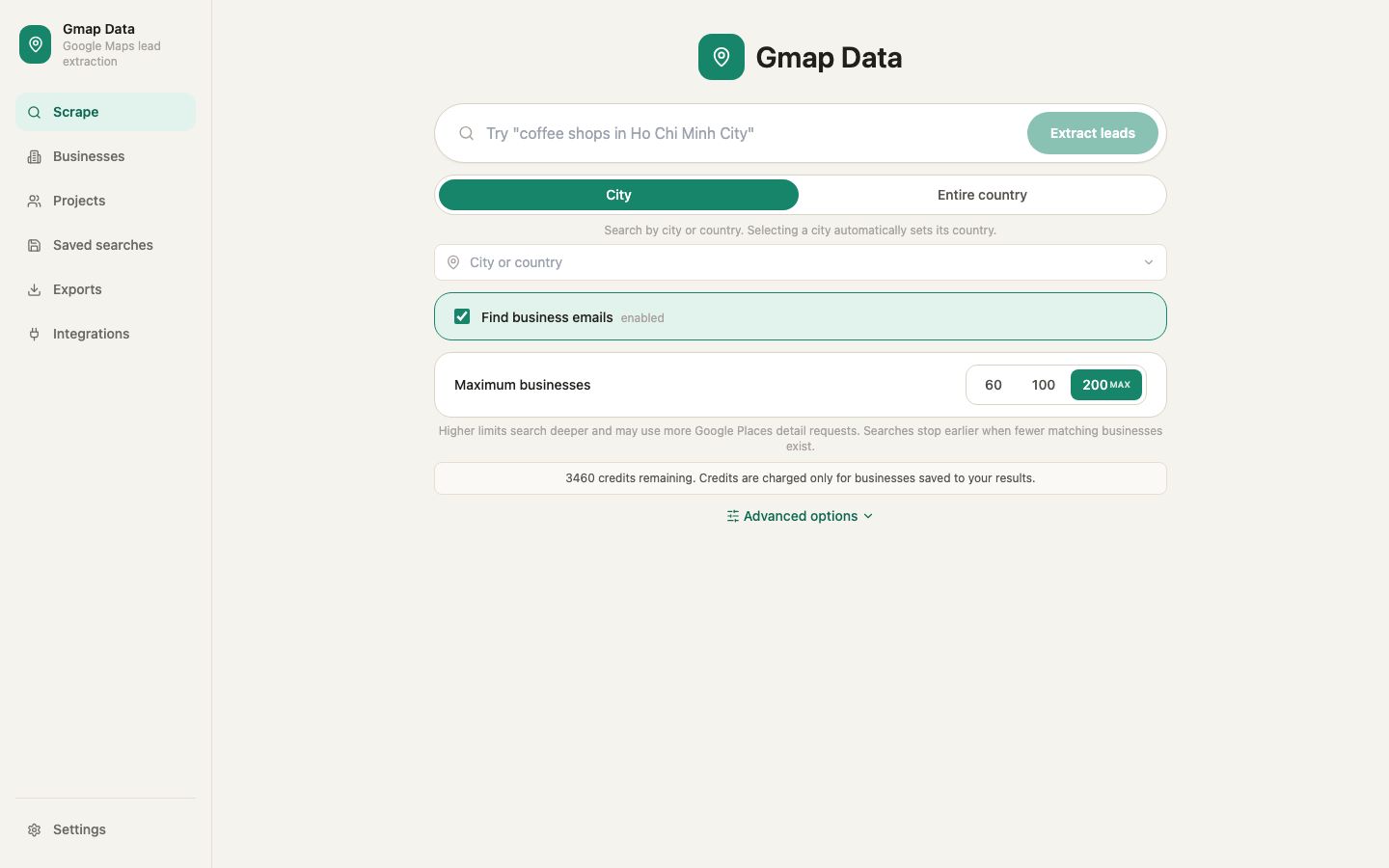
The no-code workflow, step by step
Define the market
Write a query a human would understand (for example, "dental clinic") and pick the area - a city point with a radius, or a whole supported country.
Set the budget
Choose the maximum number of businesses you are willing to save. Gmap Data shows the maximum credit cost before the run starts.
Run and wait
The run is queued and executed by a worker. Wide areas are walked as overlapping searches and deduplicated as they go.
Review the list
Check categories, addresses and business statuses. Deduplication is by Google place id, so branches stay separate and the same place never appears twice.
Export or enrich
Download CSV, or run email discovery first and export contacts with their source and quality class.
What you can expect to get
- Identity and location: name, place id, Google Maps link, address parts, city, state, postal code, country.
- Contact surface: phone numbers in national and international formats, website and domain.
- Profile: categories, rating, review count, price level and business status.
- Operations: opening hours and time zone.
- Attributes: payment, parking and accessibility options where Google publishes them.
- Contacts: emails discovered on business websites, each with its discovery source, when enrichment has run.
Limitations that apply to every no-code tool
- No tool can promise a result count: a sparse area may contain fewer unique businesses than you asked for.
- Not every listing publishes a phone number, website or email. Empty cells are facts, not failures.
- Listings change between runs. A refresh with a skip-recently-seen mode keeps a list current without paying for rows you already have.
- Managed tools depend on the vendor's continued access to data. If you need long-term control, a self-hosted script built on the official Places APIs is the alternative - at the cost of engineering and maintenance.
- Outreach rules are yours. The tool provides data; consent, opt-out and privacy obligations stay with the sender.
When coding is actually the better choice
If you need a specific request shape, a custom parser, a pipeline integration or full control over storage and retention, a script built on Google's official Places APIs may serve you better. No-code wins on time to first result; code wins on control and marginal cost at very high volume.
If you are comparing vendors rather than build-versus-buy, the guide on choosing a Google Maps scraper covers the criteria, and the pricing comparison converts the units to a common basis.
Questions
Frequently asked questions
Can I extract Google Maps data without any software?
You can read listings manually, but any bulk list needs a tool. No-code web tools run the searches for you with no installation; self-hosted scripts give more control at the cost of engineering work.
Is a no-code tool accurate?
Accuracy depends on the source. Gmap Data reads Google's official Places APIs and keeps per-row provenance, so you can see which fields came from Google and which were derived. No tool can guarantee a field the listing does not publish.
Do I need to keep my browser open?
Not with a managed tool like Gmap Data: runs are queued and executed by a dedicated worker, so you can close the browser and check progress later.
What does a no-code run cost?
With Gmap Data, one credit per business successfully saved. Searches, duplicates and failed lookups are free. Other tools price per record or per search credit, which changes the maths; the pricing comparison page covers the difference.
Can I schedule a search to run regularly?
Gmap Data supports saved searches and recurring campaigns. Re-running with skip-recently-seen only saves and charges for businesses that are new to your list.
Keep exploring
Related pages
Start with an invited account
Request access and we will help you size the first searches for your market.