Feature
Google Maps business data, extracted and ready to use
Gmap Data turns a Google Maps search into structured business rows: addresses, phones, websites, hours, categories and place ids, deduplicated and ready to review.
It is a managed web tool: you describe the search, the platform runs it through Google's official Places APIs and saves each business once to your account.
New accounts are invite-only while we onboard early customers.
What a Maps extraction run gives you
A Google Maps extractor turns the public business listings you can already see on Maps into structured rows you can filter, enrich and export. Gmap Data runs those searches for you and saves each business as one row in your account.
Search and place details come from Google's official Places APIs, so the data reflects what Google publishes at the time of the run rather than a stale local copy.
- Identity: business name, Google place id, Google Maps and Google CID links
- Location: full and short address, street address parts, district, city, state, postal code, country code, neighbourhood
- Contact surface: phone numbers (national and international formatting) and website domain
- Profile: primary category, all categories, rating, review count, price level and business status
- Operations: opening hours (regular and current), time zone, editorial summary
- Attributes: payment, parking and accessibility options, plus service-area-business flags
- Provenance: which fields came from Google, derived address parts and per-row completeness
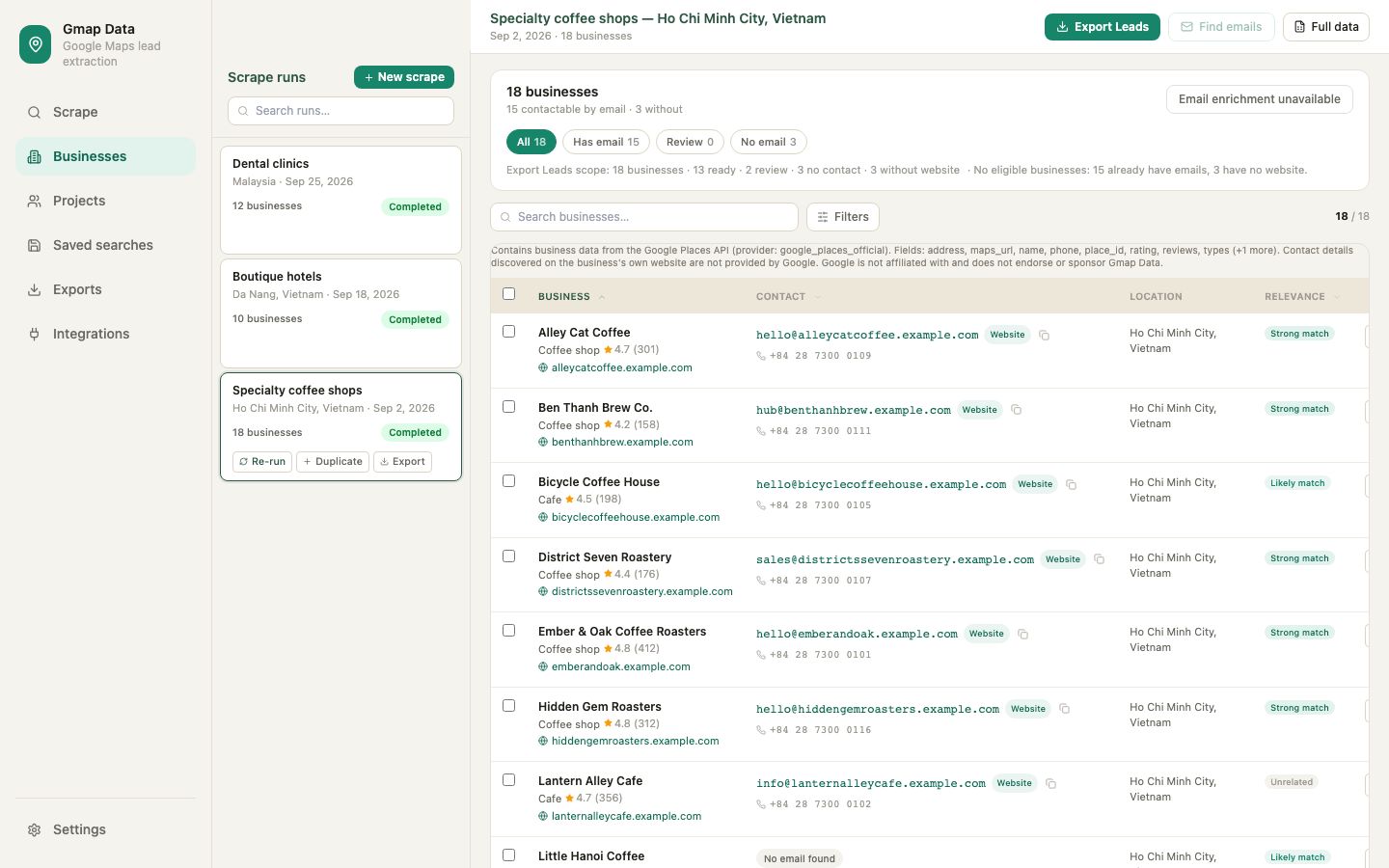
The extraction workflow
Every run follows the same four steps. Nothing is saved to your account and no credit is consumed until a business is successfully stored.
Describe the search
Enter a keyword and pick a location, or start a country campaign. Set the radius and the maximum result count you are willing to pay for.
Run and watch
The run is queued and processed by a dedicated worker. Progress and any skipped places are shown while it runs.
Review the results
Saved businesses land in your workspace with deduplication already applied, ready to filter and review.
Enrich or export
Run email discovery on the saved list, then export CSV for a spreadsheet or CRM.
Nearby coverage without duplicate rows
A single Maps search returns a limited set of results, so a wide area is walked as an ordered grid of smaller searches. Gmap Data deduplicates by Google place id: the same place found twice is saved once.
Legitimate branches are preserved. Two shops of the same brand at different addresses have different place ids and remain separate rows, which is what a sales or recruitment list actually needs.
What extraction does not promise
The tool extracts public listing data. It does not reveal private information, and it cannot promise a result count for a given area.
Results depend on what Google returns and how many unique places exist in the searched area. A saturated neighbourhood may yield fewer businesses than the cap you set, and a listing's details can change between runs. Credits are only charged for businesses that are actually saved, so an area with fewer businesses costs less.
Credits: pay for saved businesses
One credit is consumed per business successfully saved to your results. Google search requests, duplicate places, failed lookups and rejects before saving never consume credits.
Unused credits carry over month to month: automatic expiration is disabled.
Questions
Frequently asked questions
Do I need to install a browser extension?
No. Gmap Data runs in your account and the work happens on the platform's worker, so there is nothing to install and no browser tab to keep open.
Which fields can be extracted from Google Maps?
Business name, place id, address parts, phone numbers, website, categories, rating, review count, price level, opening hours, business attributes and Maps links, together with per-row completeness and provenance.
How are duplicate businesses handled?
Results are deduplicated by Google place id. The same place found by overlapping grid searches is saved once, while legitimate branches of the same brand at different addresses stay separate.
Do failed lookups or duplicates cost credits?
No. A credit is consumed only when a business is successfully saved to your results. Searches, duplicates and failed lookups are free.
Can I extract an email address from Google Maps directly?
Google Maps listings do not normally expose email addresses. Gmap Data can look for published emails on each saved business's website in a separate enrichment step; not every business publishes one.
Keep exploring
Related pages
Bulk search and country coverage
How wide city and country campaigns work, with spend caps.
Business email finder
Find published contact emails from business websites.
CSV export
Take the saved list into Excel, Sheets or a CRM.
Guide: extracting business data
A practical walkthrough with fields, limits and review steps.
Start with an invited account
Request access and we will help you size the first searches for your market.