Feature
Find business email addresses published on the web
Gmap Data looks for contact addresses on each saved business's own website, keeps the discovery evidence, and lets you enrich and verify contacts with provider accounts you control.
It finds published role inboxes and contact addresses; it does not guess addresses or guarantee that every business has one.
New accounts are invite-only while we onboard early customers.
Where contact emails actually come from
Google Maps listings rarely publish email addresses, so a business email finder has to look somewhere else: the business's own website. After a search is saved, Gmap Data can visit each business's public website and look for published contact addresses.
Discovery is deliberately conservative. It reads addresses a business has published, and records where each one was found so you can judge it before you use it.
- Mailto links in page markup and contact sections
- Structured data (JSON-LD) that publishes contact points
- Visible page text, including addresses written with spaces or obfuscation
- Links and metadata such as Cloudflare-obfuscated addresses
- Role inboxes such as info@ or sales@ that a business publishes on purpose
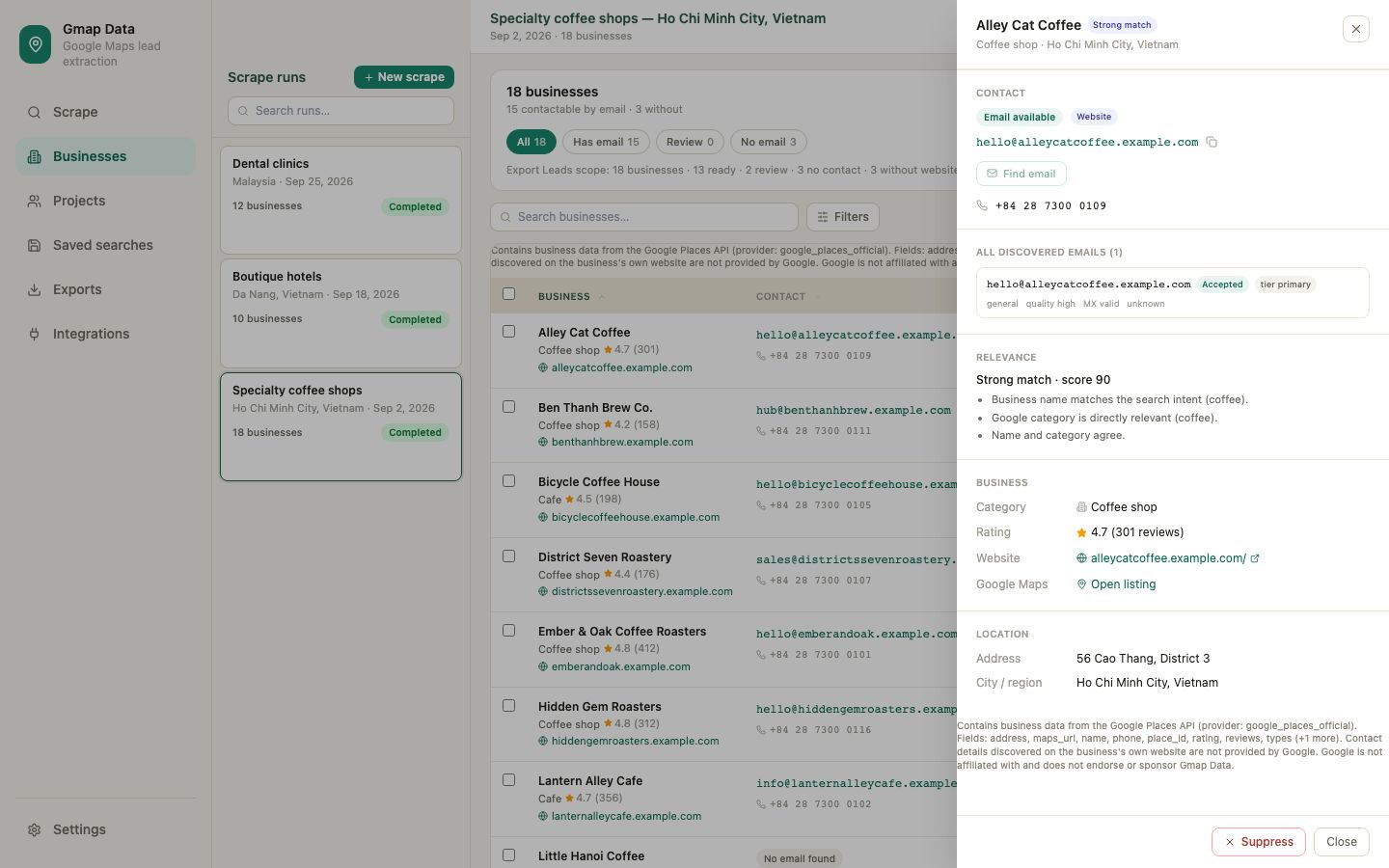
From a raw address to a reviewed contact
Finding an address is only the first step. Gmap Data keeps the evidence and the quality signals together so you can decide what belongs in your outreach list.
Discover
Crawl the business's public website, within a bounded page budget, and collect every published address with its source.
Review
Each contact is scored into accepted, review or rejected quality classes, with the discovery context attached.
Enrich
Connect your own Hunter or Prospeo account to look for additional addresses the website does not publish.
Verify
Connect your own verification provider to classify each mailbox and record deliverability evidence before outreach.
Bring your own provider account
Enrichment and verification run through provider accounts you connect, not through bundled platform credits. Website crawling and your own provider calls never consume Gmap Data credits.
Provider credentials are encrypted at rest with a key held by the platform, are never shown back to the browser, and can be disconnected at any time. Verification results are stored as evidence with the provider and expiry attached; a missing or unreachable provider leaves the address unchecked rather than guessing.
What deliverability evidence means
Deliverability is tracked separately from contact quality. Statuses describe what is known about a mailbox, not whether a person wants to hear from you.
- deliverable: the mailbox accepted a verification result it did not dispute
- undeliverable: the mailbox was rejected or produced a recorded bounce or complaint
- catch_all: the domain accepts mail for any address, so existence cannot be confirmed
- risky: the mailbox is likely but not confirmed
- unknown: no decisive evidence yet; a valid domain exchange alone stays unknown
- unchecked: no verification has been run
Honest limits
Not every business publishes an email address, and a missing address is a normal outcome, not a bug. Gmap Data never guesses or generates an address and never claims a mailbox works when no provider has confirmed it.
Role inboxes may reach a team rather than a named person. You remain responsible for how you contact businesses and for complying with the laws that apply to you.
Questions
Frequently asked questions
Does Gmap Data guarantee an email for every business?
No. Discovery only returns addresses a business has published publicly, and many businesses publish none. A missing email is recorded as no contact found, never invented.
Do email discovery and verification cost credits?
No. Website crawling and your own connected provider calls never consume Gmap Data credits. Credits are only consumed when a business is saved from a search.
What is bring-your-own-key enrichment?
You connect your own provider account, such as Hunter or Prospeo. Calls run on your provider plan and usage stays under your control; credentials are encrypted at rest and never shown back in the browser.
What does a valid domain exchange mean?
That the domain can receive mail. On its own it does not prove a specific inbox exists, so the status stays unknown until a verification provider returns decisive evidence.
Can I export discovered contacts?
Yes. Contact addresses, their source, quality class, deliverability status and verification evidence are included in CSV exports and project views.
Keep exploring
Related pages
Google Maps extractor
How businesses are found and saved before enrichment.
CSV export
Contact columns, quality and deliverability in one export.
Guide: finding business emails
Where addresses are published and what to do when none exists.
Lead generation
Turn a saved list plus contacts into an outbound workflow.
Start with an invited account
Request access and we will help you size the first searches for your market.