Guide
How to find business email addresses
Published 8 October 2026 · Gmap Data guides
Business email addresses are not published on Google Maps. This guide explains where they actually live, how discovery and verification differ, and how to decide whether an address is worth using.
It uses the Gmap Data workflow as the example and is explicit about the parts no tool can promise.
New accounts are invite-only while we onboard early customers.
Why business email addresses are hard to find
Google Maps listings rarely include an email address. The contact surface on Maps is a phone number, a website and sometimes a messaging option. To find an address you have to look where businesses actually publish one: their own website.
Even there, the address is often a role inbox rather than a person, sometimes written with spaces or obfuscation to deter bulk collection, and sometimes missing entirely because the business prefers calls or a contact form.
Where published addresses live
A business website has a small number of predictable places where an address is published. A good discovery step reads all of them and records where each address came from.
- The contact page and the footer, which usually carry the primary role inbox
- Mailto links in the page markup, which name the address directly
- Structured data such as JSON-LD contact points, which businesses publish for search engines
- Visible text on about and team pages
- Links and metadata that encode an address to hide it from simple collectors
A practical discovery workflow
Start from a real list
Run a Maps search for your market and save the businesses first. Discovery runs per saved business, so the list defines the scope.
Discover published addresses
Crawl each business's public website within a bounded page budget and collect every address with its source and discovery method.
Review quality
Check the address against the business domain and the quality classes. A matching role inbox is usually stronger than an unrelated personal address.
Enrich and verify
If you connect a provider account, look for additional addresses and classify each mailbox. Keep unverified addresses as unverified.
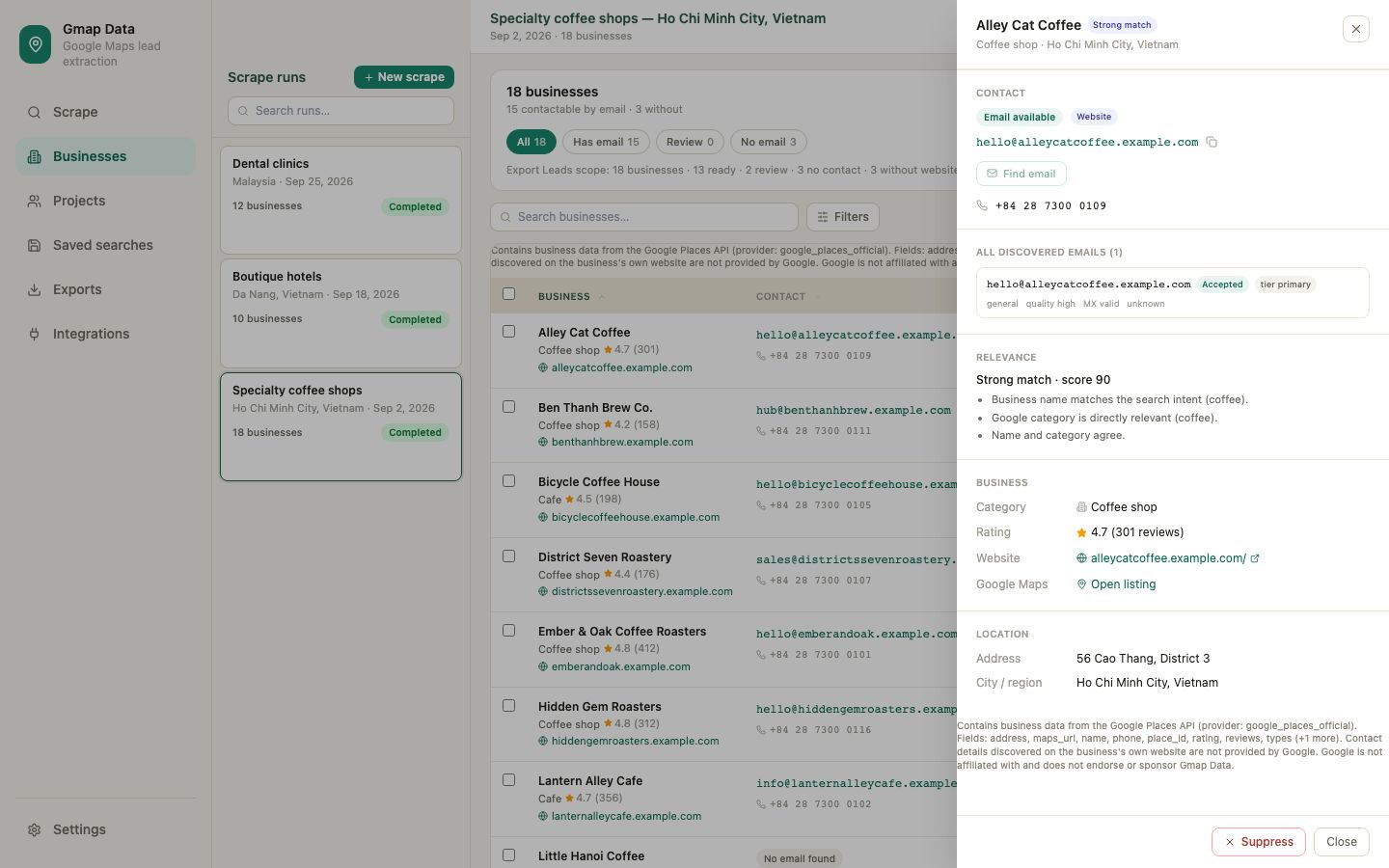
How to judge an address before you use it
- Domain match: an address on the business's own domain is more likely to be legitimate than a freemail address.
- Role versus personal: info@ and sales@ reach a team; a named individual may be more precise but is personal data with heavier obligations.
- Discovery context: an address published on the contact page is stronger evidence than one found in an unrelated block of text.
- Verification status: deliverable, catch-all, risky, unknown and unchecked mean different things. A catch-all domain cannot confirm a specific mailbox exists.
- Suppression and bounces: a recorded bounce or opt-out should remove an address from outreach, not just lower its score.
What not to do
- Do not guess patterns such as firstname@domain. Guessed addresses create misdirected mail and damage sender reputation.
- Do not assume a valid domain means a valid mailbox: many domains accept all mail (catch-all), so existence needs evidence.
- Do not scrape personal profiles for contact data. This guide is about business contact points published for contact.
- Do not ignore outreach rules. Consent, opt-out and privacy obligations depend on your market and how you contact people.
What to do when a business publishes no email
Many businesses do not publish an email address. In that case the honest options are to use the published phone number, use a contact form on their website, or leave the business out of the email campaign.
A missing address is a fact about the business, not a gap to fill with invented data. Gmap Data records it as no contact found and never generates an address.
Questions
Frequently asked questions
Why does Google Maps not show email addresses?
Maps listings expose a phone number, a website and sometimes messaging, but email is not a standard listing field. Businesses publish email addresses on their own websites instead.
Can a tool find an email for every business?
No. Discovery can only return addresses a business has published somewhere reachable, and many businesses publish none. Any tool promising a guaranteed email for every listing is overstating what is possible.
What is a catch-all domain?
A domain that accepts mail for any address at that domain. It means the domain receives email, but it cannot confirm that a specific inbox exists, so the address stays unverified rather than deliverable.
Is it safe to email a published role inbox?
That depends on your market and the rules that apply to you. Keep records of where an address was published, honour opt-outs promptly, and treat verification as evidence about the mailbox, not permission to contact.
Does email discovery cost credits?
No. Website crawling and calls to your own connected provider accounts never consume Gmap Data credits. Credits are consumed only when a business is saved from a search.
Keep exploring
Related pages
Start with an invited account
Request access and we will help you size the first searches for your market.