Feature
Export your saved business list to CSV
Gmap Data exports the businesses and contacts you have saved as one consistent CSV, with stable columns and the evidence behind every contact.
Empty cells stay empty: the export reports what the sources actually published.
New accounts are invite-only while we onboard early customers.
One consistent CSV for every saved business
CSV is the customer export path in Gmap Data. Export the businesses you have saved and reviewed, drop the file into Excel, Google Sheets or a CRM import, and keep working.
Columns are stable and additive: existing column names and positions do not move when new fields are introduced, so a script or CRM mapping that worked last month keeps working.
What is in the export
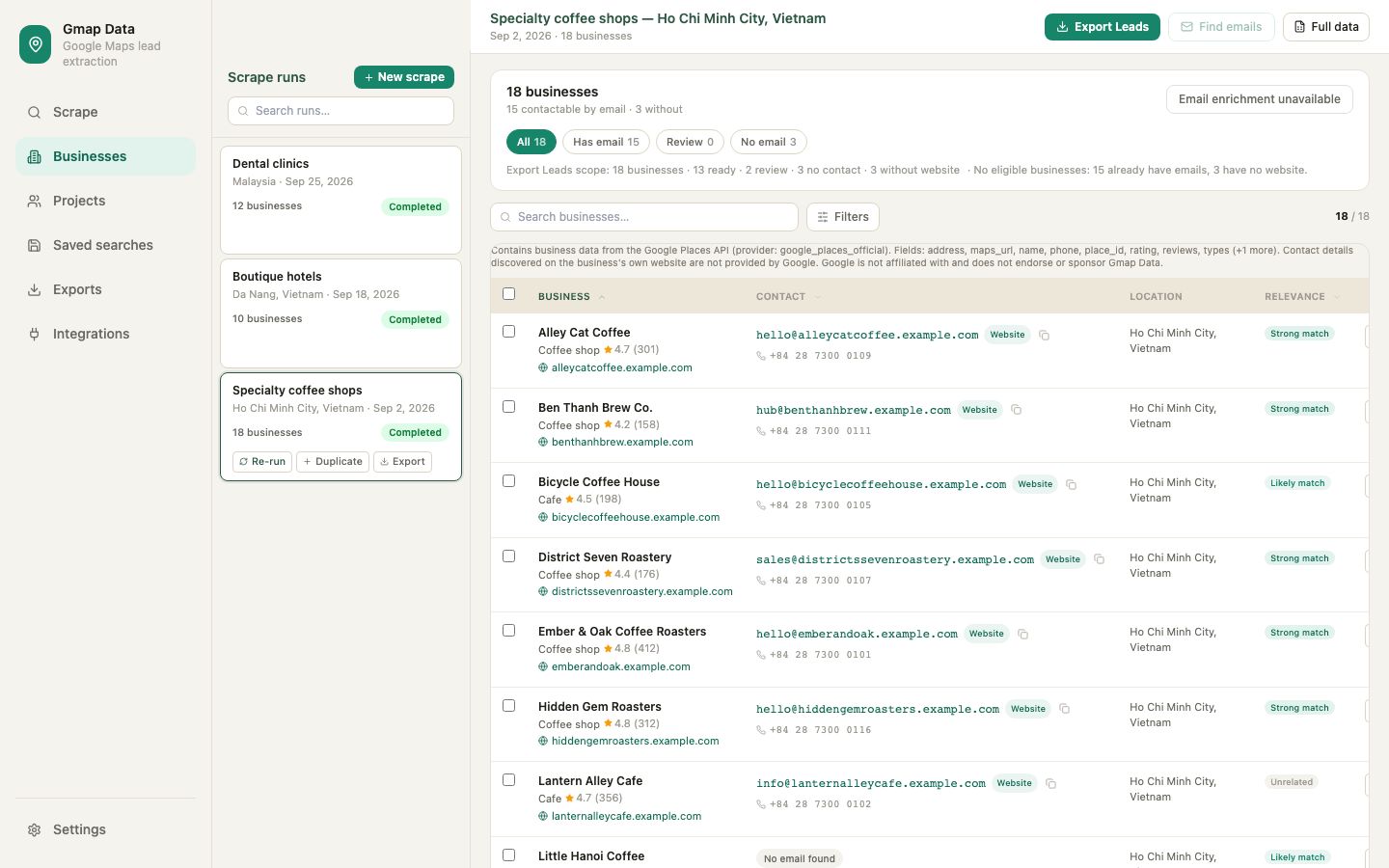
The export is the full saved record, not a reduced summary. The main column groups are:
- Identity and location: name, full and short address, city, country, postal code, state, district, street parts, place id, Google Maps and CID links
- Contact surface: national and international phone numbers, website and domain, additional phones
- Profile: primary category, all categories, rating, review count, price level, business status, opening hours and time zone
- Attributes: payment, parking and accessibility options, service-area flags and editorial summary
- Contacts: every discovered email with its source and method, email type, lead-quality class, domain match, confidence and enrichment provenance
- Verification evidence: deliverability status and the applied verification result per address
- Provenance: per-row field origins and completeness, plus the Google attribution notice on rows that contain Google-derived fields
Where exports fit
Save and review
Run a search and let the saved businesses land in your workspace, deduplicated by place id.
Enrich
Run email discovery and, if you connected a provider, enrichment and verification for the list.
Export
Download CSV from the Businesses view, a run, or a project's export.
Import
Map the columns once in your CRM or spreadsheet template and reuse the mapping.
Projects keep the same shape
Projects group saved businesses into a working set. A project export uses the same column contract as the main export and reads the live contact data at export time, so quality classes, deliverability evidence and suppression state are current rather than frozen at import.
Honest limits
Empty cells mean the source did not publish that field. Not every business has a phone number, website, email or complete opening hours, and the export records what was found rather than filling gaps with guesses.
Google-derived fields are exported with an attribution notice appended to the row, because the data originates from Google Maps Platform.
Questions
Frequently asked questions
Which formats can I export?
CSV. It opens directly in Excel and Google Sheets and imports into CRM tools. Google Sheets export is an operator-workspace tool and is not part of the customer export path.
Can I export a project as well as a search?
Yes. Project exports use the same column contract and read live contact data at export time, including quality classes and deliverability evidence.
Do empty cells mean the data is missing?
Yes. An empty cell means the source listing or website did not publish that field. Gmap Data does not fabricate values to fill the row.
What is the google_attribution column?
It is appended to rows that contain Google-derived fields and carries the required attribution notice. Rows built only from first-party data do not carry it.
Will new fields break my import?
New columns are appended and existing column names and positions are preserved, so an existing mapping keeps working when the export gains fields.
Keep exploring
Related pages
Start with an invited account
Request access and we will help you size the first searches for your market.